No account · Nothing uploaded
Read and listen to everything, privately
One calm app for e-books, PDFs, documents, comics and web articles. Read them beautifully, or have them read to you with your phone’s own voices, offline and unlimited.
Free for Android phones and tablets. Optional ReaderNext Pro.
Read anything
Every book and document in one library
Pick a folder and new books in it are added by themselves, or share a file to ReaderNext from any app. Covers, series and shelves keep it tidy, and search finds a word in every book you own.
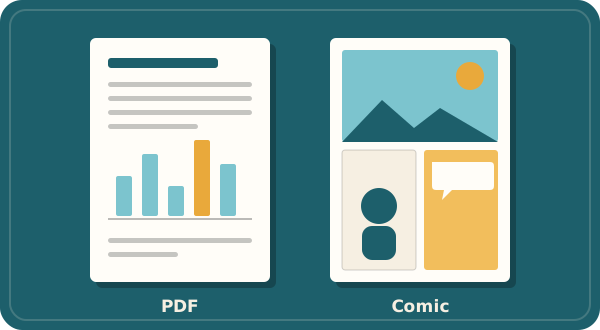
- EPUBEPUB 2 and 3, including fixed-layout picture books
- MOBI · AZW3Kindle-format books without copy protection
- FB2FictionBook
- PDFAs pages, or reflowed text you can resize and hear. Scanned pages are recognised on your phone.
- DOCX · RTFWord and rich-text documents
- TXT · MarkdownPlain text in any common encoding
- HTMLWeb pages and saved pages
- CBZComics and manga, with spreads and right-to-left
- ArticlesAny web page you share to ReaderNext, saved for offline reading
Not supported: books copy-protected by their store (DRM), DjVu, and RAR or 7-Zip comic archives (convert those to CBZ).
Listen
Any book, read aloud, offline
ReaderNext reads any book, document or article with the voices on your phone. Follow along with the sentence highlighted while the pages turn by themselves, and pick up again from your headphones.
- Choose a voice, speed and pitch for each book
- Unlimited and offline: no per-minute limits, no cloud voices
- Pro: listen with the screen off, sleep timer, word highlight and a queue
Made for people who read a lot
A real book reader
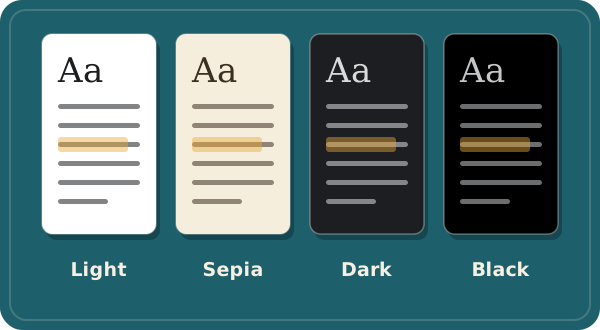
Justification, hyphenation and even line spacing. The book’s own fonts or yours, page turns or scrolling, Light, Sepia and Dark themes.
Highlights and notes
Press and hold to highlight, add notes and tags, and export them to Markdown. Share a quote as text or as an image card.
Look up and translate
Translate a passage offline, look words up in dictionaries you add, and keep every word you look up with its sentence.
Save articles for later
Share a link from any app. ReaderNext cleans the page up and keeps it offline, with tags, archive and search.
Comics and manga
Fit to width, zoom, two-page spreads, right-to-left reading and a vertical strip mode.
Easier reading
Works with TalkBack and large text. Easier-reading spacing, Focus words and a reading ruler help the eye along the line.

Private by design
Your books stay on your phone
Books and documents you add are kept in the app’s private storage. They are never uploaded to us or anyone else.
No account
No sign-up, no email address, no profile. There is nothing to log in to and nothing for us to lose.
Offline by default
Reading, listening, translation, text recognition and AI all run on the phone. Nothing you read is sent anywhere.
ReaderNext only goes online to fetch pages you save, download the language and AI models you use, send an AI answer you choose to report, handle Google Play purchases and, in the free version, show ads. Read the privacy policy.
ReaderNext Pro
Get more from every book
- Listen in the background, with lock-screen, headphone and car controls
- Sleep timer, word-by-word highlight and an Up next queue
- Pronunciation dictionary for names and words
- On-device AI: summarise a chapter, explain or simplify a passage, on phones that support it
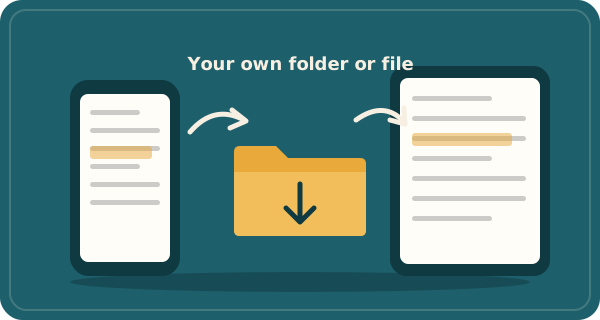
- Sync folder or file: places, bookmarks and notes in step across your devices, no account
- Notes hub, every highlight colour, and exports to CSV, JSON and HTML
- Reading stats, goals and home screen widgets
- The Black theme, your own colours and fonts, and reading aids
- Save a chapter or article as audio
- No ads, anywhere
ReaderNext Pro is available inside the app through Google Play, as a subscription or a one-time purchase. Subscriptions renew automatically until cancelled. Some Pro features can be used once for free by watching a short video. Subscription terms.
Questions
Is ReaderNext free?
Yes. Reading every format, listening with the screen on, highlights, notes, saved articles and backups are free. The free version shows a small number of ads in the Library and Saved lists, never while you read or listen. ReaderNext Pro adds the extras and removes ads.
Do I need an account?
No. ReaderNext has no accounts. Your library lives on your phone. To keep two devices in step, Pro can use a folder or a file you choose, for example in your cloud drive app.
Which voices does Listen use?
The text-to-speech voices already on your phone, such as Speech Services by Google. They work offline once installed, and you can pick a voice, speed and pitch for each book.
Can it open books I bought from a store?
Only books without copy protection (DRM). Store-protected books, DjVu files and RAR or 7-Zip comic archives are not supported.
Is there an iPhone version?
ReaderNext is available for Android phones and tablets on Google Play.